Sunday, 27 October 2019

Game Design Document


Game Design Document


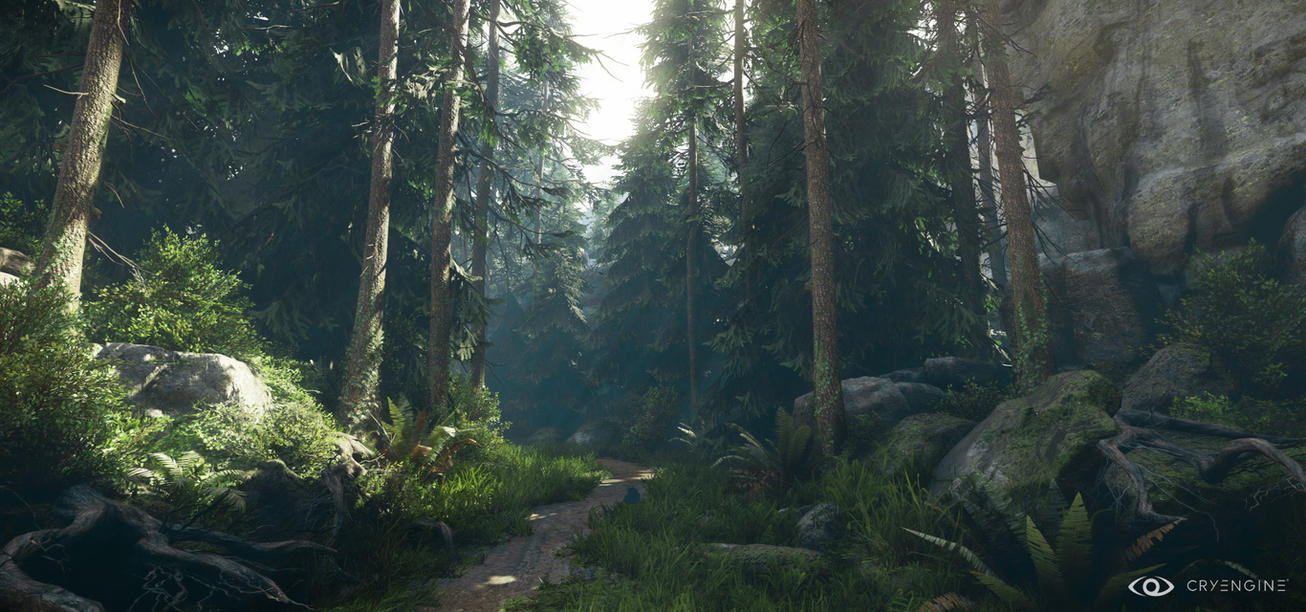
Here you will find my game design document. I enjoyed the process of developing this because it really went into detail on some things in my game that I have not yet thought about so it has made me excited to start developing this game. 


Image info: Screenshot from game called The forest: https://invisioncommunity.co.uk/the-forest-ps4-review/

Thursday, 24 October 2019

Unity Tutorial 04


Unity Tutorial 04

In this weeks Unity Tutorial, we learned how to create a HUD, this stands for a Heads Up Display. We used Unity's animation system to help us do this and we also learned how to add sound to our game. 

I think by adding the Heads Up Display, the game is really starting now to take shape. A heads up display really adds that look that gives it the feel of a first person game. 

I really enjoyed creating the animation for the axe. It really the possibilities for creating a game whereas we are starting to learn how to create objects, implement them into our heads up display and then animate them in a way that it seems as if the character is swinging the axe. I think this is really exciting especially coming from someone with zero game development skills.

Also, adding in some more sounds makes our game even more immersive. I found it interesting creating the code to add some sound to our swinging of the axe animation. In C#, we created code that would allow us to trigger swinging the axe, we then created some code that would make the swinging sound play along with the swinging animation. 

Image Info:
Screenshot from Unity Engine

Sunday, 20 October 2019

Game Vision Statement


Game Vision Statement

Genre

The gene of my game would be a Survival. I have not decided whether it should be first person or third person.  I would like my game to be based in a hostile, intense, open-world environment. The player would have minimal equipment. The player would have to collect resources, craft tools, weapons, and shelter, and survive as long as possible. Survival games are interesting because they require the player to work in order to survive, overcoming obstacles and solving problems. Harvesting resources and crafting tools and weapons.

Game play

The game play would generally be adventurous. I want the map to have multiple paths and places to explore so that the player would have to explore the map in order to find what the objective is. I would like to add some sort of combat element to the game. I would love if the player would have to worry about dangerous animals or maybe even other humans. I would like the player to be able to craft weapons that he/she could use to attack and/or hunt. 
Resource management and crafting would be element that I would like to have in the game. I think this would make the game a lot more interesting.

Resources Required 

Resources

Resources would be a great element to add to my game. I would like it that in order to craft a tool that would help you progress, the player would have to collect materials in order to craft the tool. Also, I would like it that the player would have to collect food and water in order to survive. 

Collection

Collection would be an obvious resource to have in this game. The player would have to collect food, water, materials and other items. 

Construction

Construction/crafting would be a great element to this game. The fact that it is a adventure/survival game would make it perfect to have some sort of crafting element.

Combat

I think that combat would make this game a lot more intense. Scenes of combat and fighting would really improve this game idea. The fact that the game is based in a survival situation, it would not be complete without some sort of intense combat. 

Link 

Image Info

Thursday, 17 October 2019

Unity Tutorial 03


Unity Tutorial 03


For this week's unity tutorial, instead of doing Jimmy Vegas' Youtube series, we done an online tutorial on how to create a functional clock in Unity. 

In order to make the clock, I first had to physically create the object in the Unity engine. To make the face, I created a 3.D smart object, which was a cylinder. I then flattened the cylinder to make a disc. I then proceeded to make the hour indicators and clock hands using cubes. I also re positioned the camera so that when the game is played it had a overview of the clock face. 

Next, I started the C# scripting. To start the script I had to define what were the hour, minute and second hands and also that were to be transformed. C# Script is a completely new method of coding to me so it was a bit confusing at the start when I was typing some of the code into the editor. I had to read the text very carefully to try and understand what I was doing. 

Also, one feature that I thought was a good addition to the clock was adding the option to make it continuous. This meant that the hands of the clock would continuously turn around the face without it 'ticking'.

Image Info:
Screenshot of my clock in Unity Engine

Monday, 14 October 2019

Feedback Strategies


Feedback Strategies


I think it is very important to be strategic when giving feedback to your peers. Being criticized is a touchy subject so we need to be cautious. 
One technique I think is important is to not just focus on the negative. Tell the person what you think they did write. Then, it is appropriate to give some constructive criticism. 
Image Info:
https://feedback-coach.com/resources/


Game Idea Research


Game Idea Research


The game idea that I would like to do some more in-depth research on is my idea of A Outdoor Survival game. I think that certain game mechanics are what will make this game really interactive and enjoyable. 

Equipment

Equipment will be one of the most important game mechanics in this game. This is a survival game so the player would need to find tools and weapons in order to survive. Maybe the player could craft tools from raw materials in order to better him/herself throughout the game. For example; maybe the player could find some sticks and rope, from these materials the player could craft a fishing rod in order to find food. 

HUD

I defiantly want to add a HUD(heads up display) into my game. A HUD is basically a display around the screen that keeps the player up to date with important info such as health, mission progress and maybe a map but there are no limits to what a game developer can add to a HUD in order to make the game experience even more immersing. 

Skills/Traits

I think that a skill system would really improve my game. Skills such as hunting, crafting, stamina and other skills could add realism to the game. It would improve the game if the player would have to try and level up certain skillsets in order to progress. 

Links:

Image Info:

Thursday, 10 October 2019

Unity Tutorial 02


Unity Tutorial 02

In today's Unity tutorial, I learned many things but the 2 main headings were improving graphics and adding a ray cast and cursor. 
In the first video I learned how to add sounds to objects and how to make objects "collectible". I created a new collider box for the gem which as also a trigger. I imported a sound effect and done some C# code that basically played the sound when I came with the vicinity of the gem and then made it disappear as if I collected it. 
After that, I imported water from my standard assets folder. Then, it was easy to add water to the game. I lowered the terrain and added water to the hole. Another thing I done was add 2 new textures, stone and brick. I created a brick wall. 

After that I then added a cursor. A cursor is basically a little marker that tells you where the player is looking(in the center of the screen). This was easy to make and I was able to play around with different shapes and colors. Lastly I added a ray cast to the game. I ray cast basically tells the player how much distance is between his character and the object he/she is looking at. This required a bit of C# coding. 
I enjoyed this weeks tutorials because the game is really starting to take shape. 
Image info:
Screenshot of my own game in Unity Engine

Unity Tutorial 06